Club management system
Rotary Club of Downtown Lock Haven
Pro bono · live
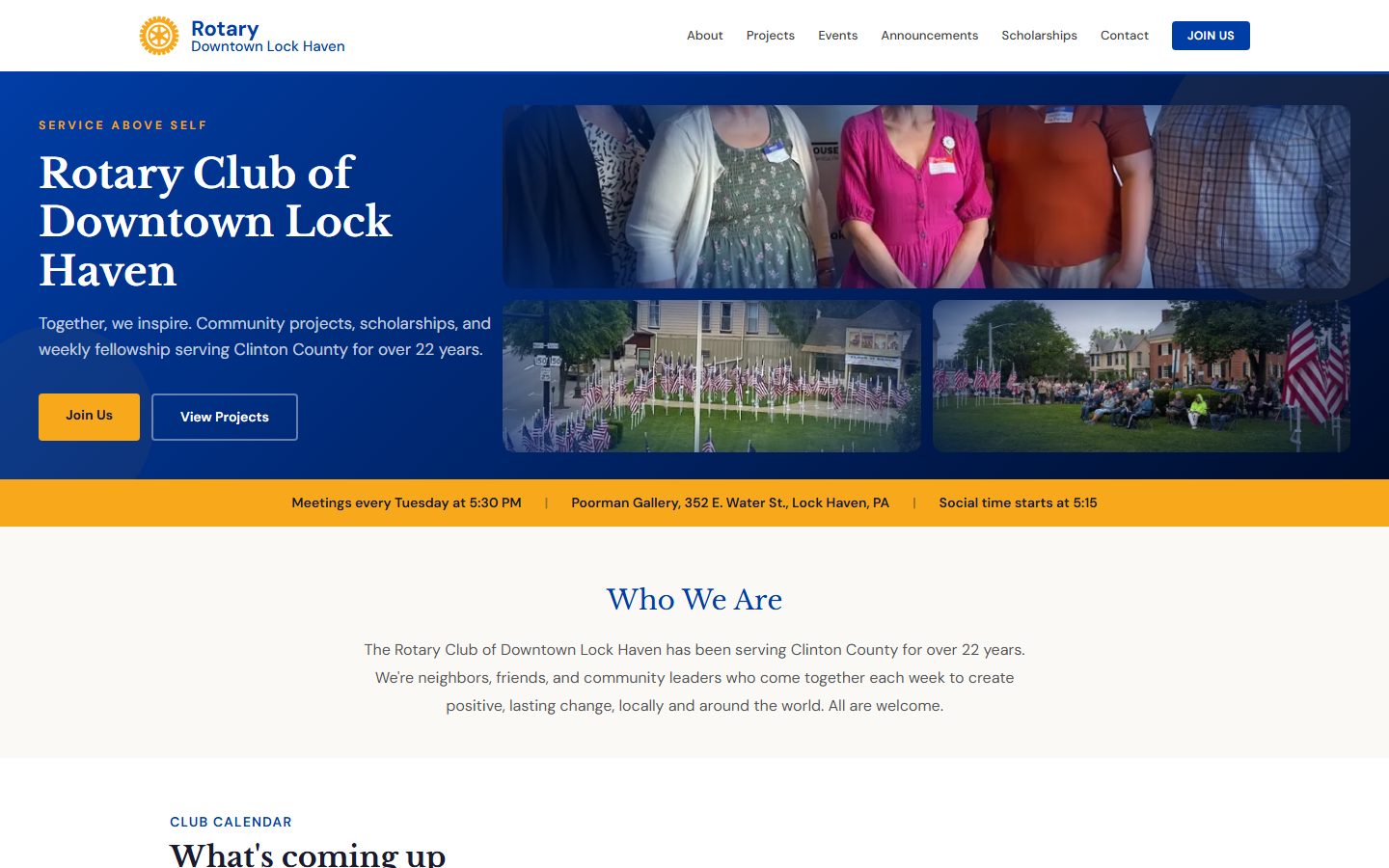
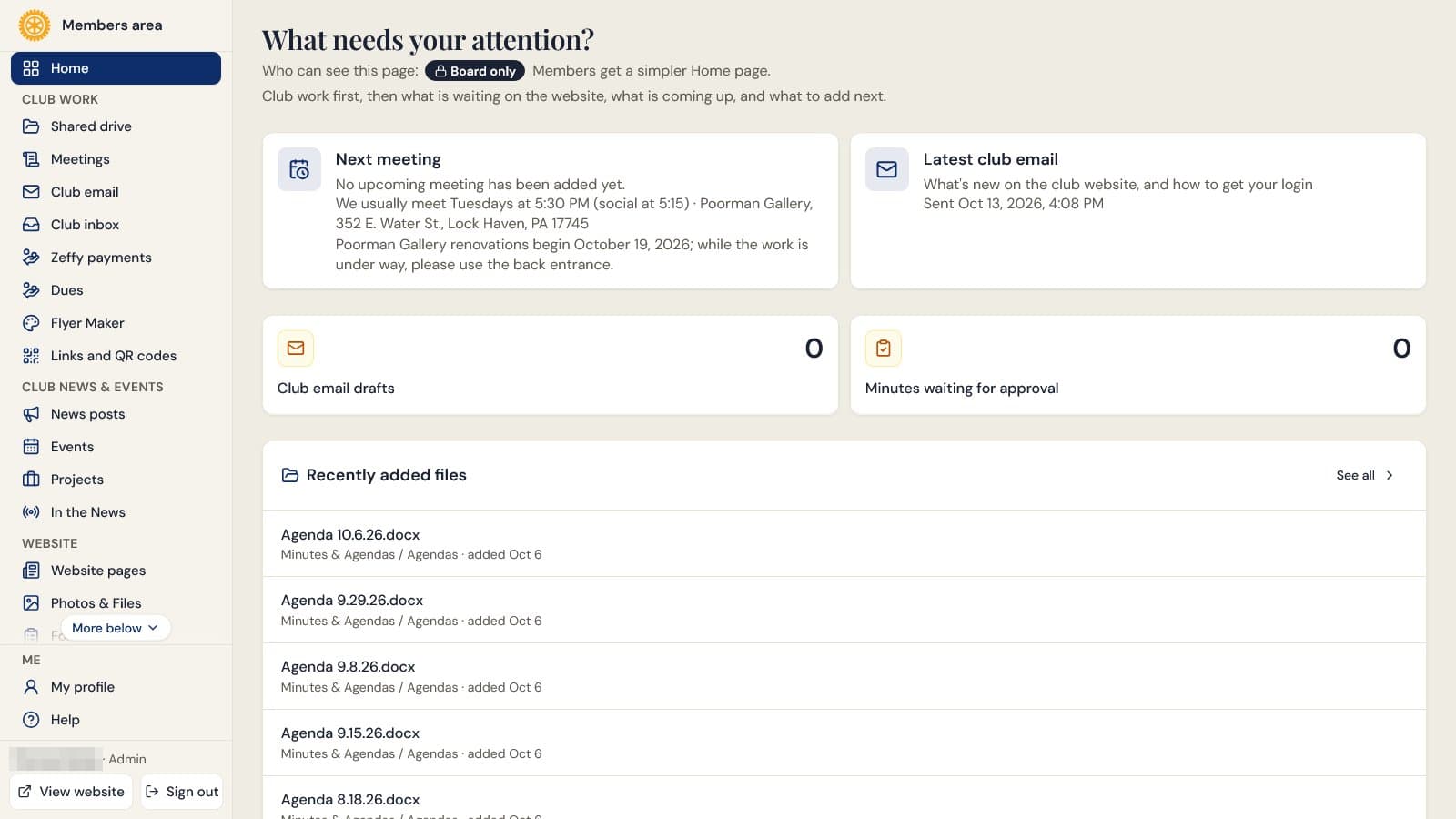
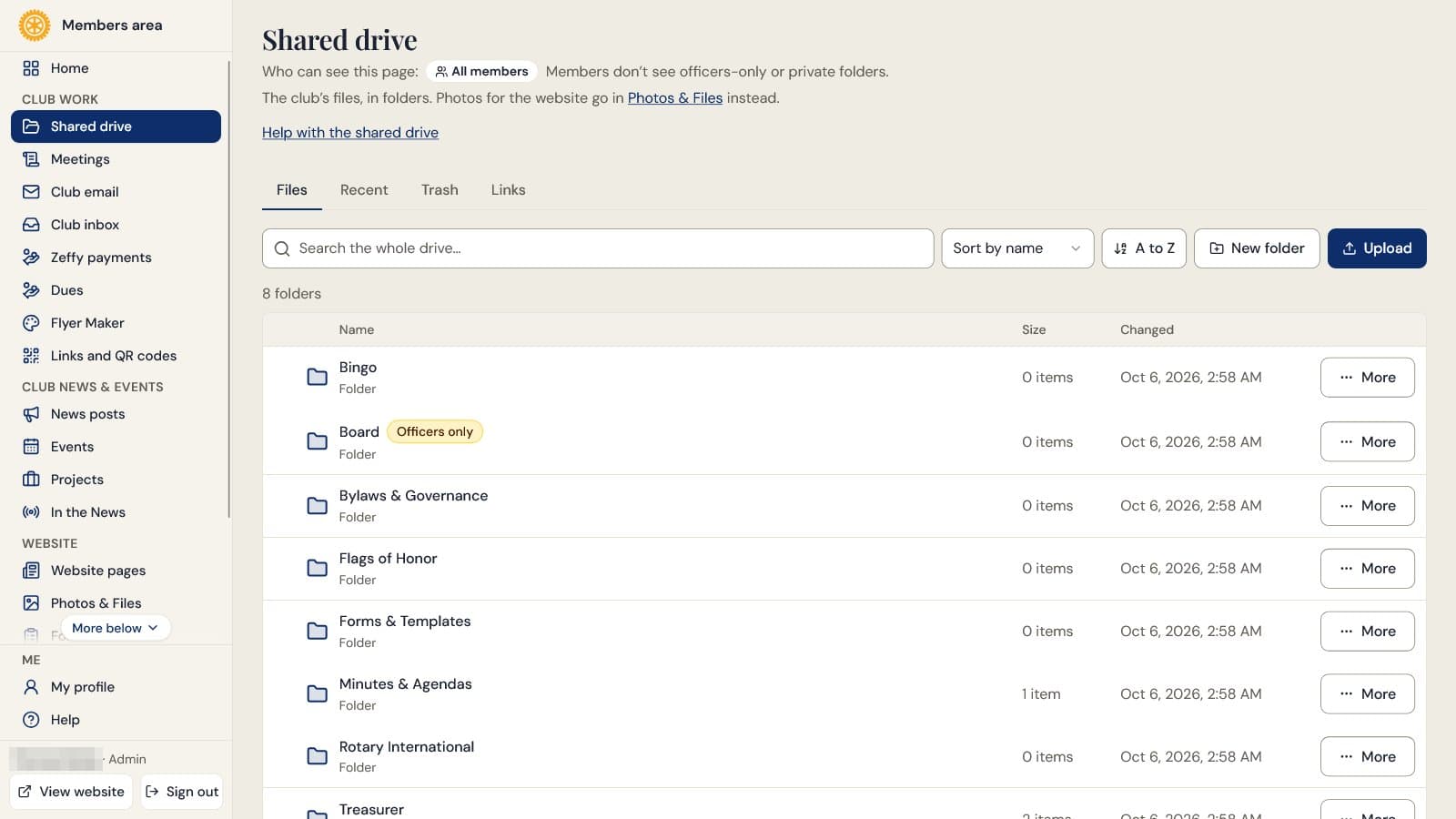
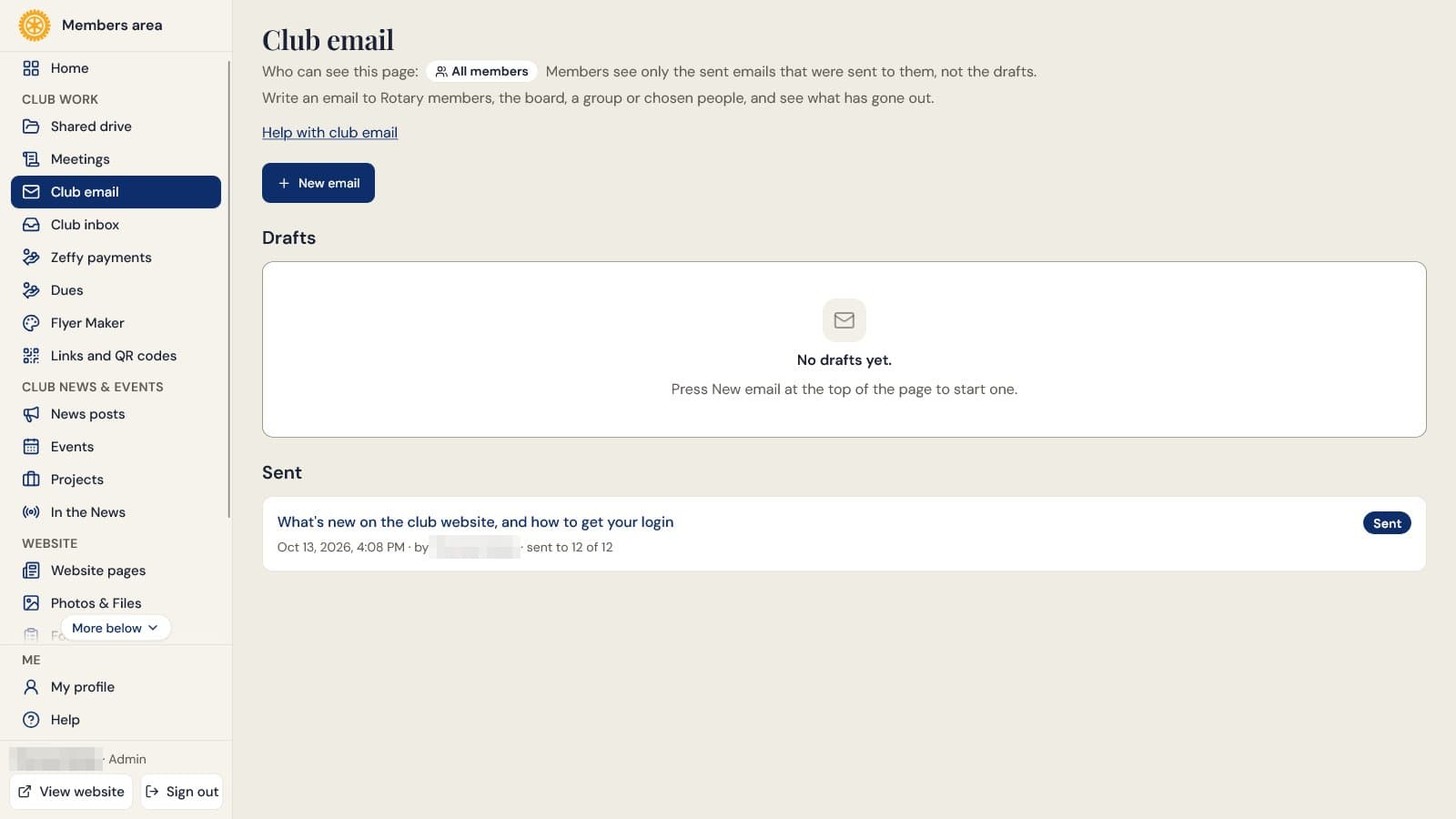
I built the official website for the Rotary Club of Downtown Lock Haven pro bono, and I still support it as the club’s developer. The public side has events, projects, scholarships, news, and the join, contact, and donation paths. Behind the sign-in, members get the directory, minutes, shared files, and RSVPs, and officers get the tools they run the club with: meetings, dues, club email and contacts, a shared drive, and AI helpers that fill in forms for them to check.
In 2026 I rebuilt it on a bespoke stack with no CMS framework underneath: hand-written SQL repositories over PostgreSQL, a REST layer for the dashboard, and the site’s own signed sessions. Everyone writes in a formatted editor rather than Markdown, because club officers rotate and nobody should need to learn markup to post next week’s meeting.
Meetings, agendas, and minutes
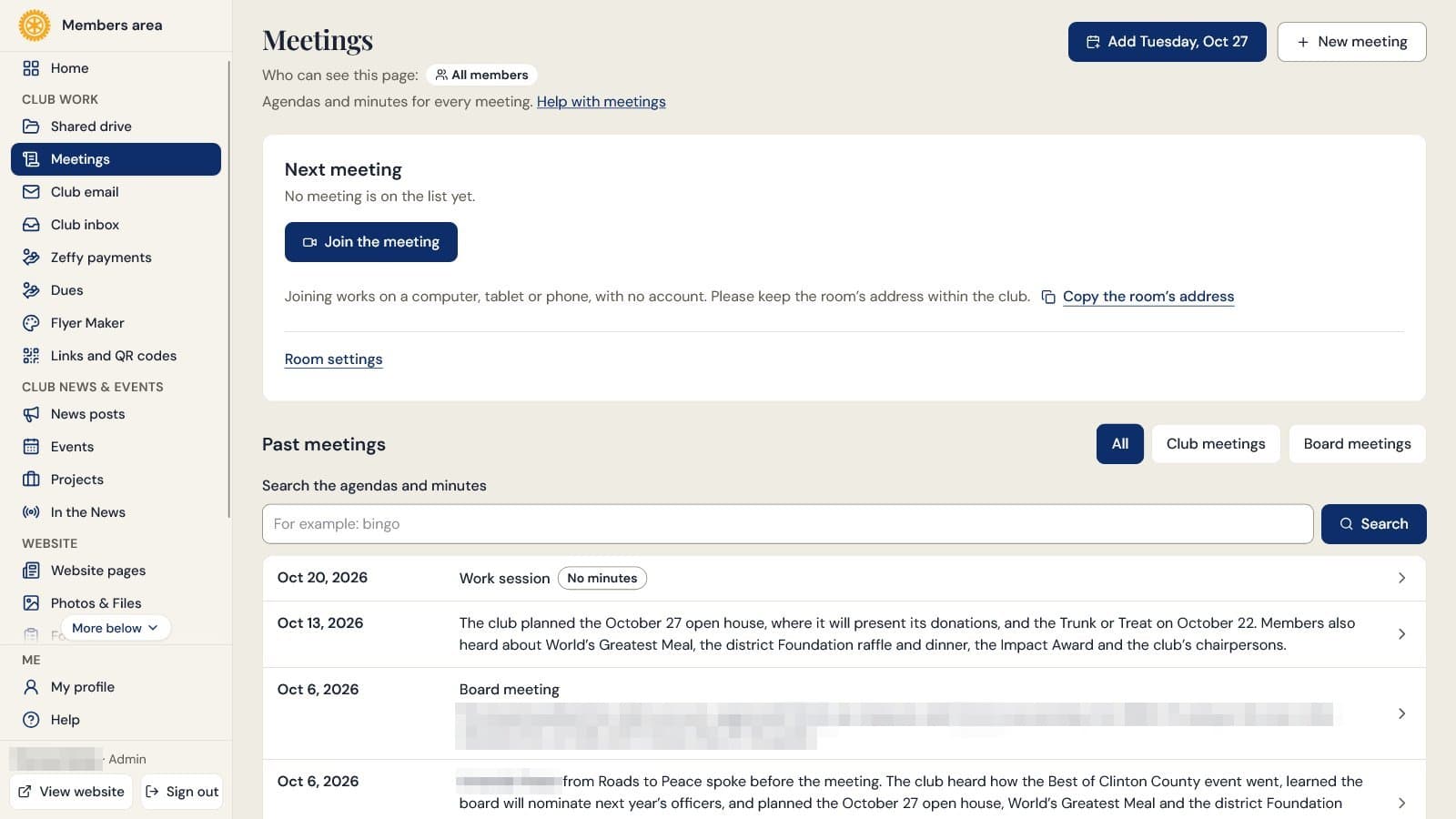
Club and board meetings each get an agenda and minutes that move from draft to approved. A whole meeting or a single section can be board-only, and that text is stripped on the server before a member’s page is built. The page opens on the next meeting with a Join button for the club’s online meeting room, the archive is searchable, and officers email the agenda or approved minutes from the meeting itself.
Club email
Officers write a club email in one formatted box and drop in upcoming dates, the latest minutes, birthdays, a drive file, or RSVP buttons. Each email picks its audience (members, the board, a group, or hand-picked people), and an opt-out always wins. It goes out one message per person, so a retry reaches only the people it missed, and recipients can RSVP without signing in.
Contacts and member records
Contacts holds everyone the club writes to, including members who never made an account. Each person can carry groups, a phone number, and a member record with join dates, sponsor, classification, and dues rate. Officers import a list by pasting it or uploading a CSV, duplicates are skipped, and an invite-code signup links to the person’s contact or creates one.
Dues register and Zeffy payments
Officers add each month’s dues for every active member with one button, record cash and check payments with Mark paid, and see who is behind. Payments, including linked Zeffy payments, are voided rather than deleted, and each member sees their own balance on their dashboard home. A separate officers-only page reads the club’s Zeffy payments live and totals them by form, storing nothing on the site.
Shared drive
Members and officers share files in nested folders. A folder can be open to members, to officers only, or privately to the person who made it (plus the site admins), and it is never more open than the folders above it. Officers can also share by link, with an expiry and a way to revoke it. Word and Excel files preview in the page, replaced files keep their older copies, and the trash holds deleted files for 30 days.
AI helpers for officers
Officer-only helpers running on Claude summarize each meeting’s minutes, draft minutes from rough notes, fill in a new event from a pasted announcement, draft a news post, and tidy the layout of a pasted email. Each one only fills a form for an officer to check. The site refuses an answer that changes a pasted email’s words or adds a number the source didn’t have, and a club-wide daily limit caps the calls.
Flyer Maker
Members pick an event or announcement and get a print-ready flyer. Claude lays out the text and OpenAI’s image model can paint the artwork, while the site itself adds the real club logo and a QR code locked to that event. Every design is saved as a draft from the first generation and stays editable after export to a print PNG, a PDF, and a social image.
Invite-only sign-in
Members sign in with a password or a single-use emailed link (only the link’s hash is stored, and requests are rate-limited). New accounts need a single-use invite code, which officers can email from the site, and redeeming it creates the account in one transaction so a code can’t be used twice. A hardcoded site-owner allowlist means only the owner’s admin account can edit member accounts or change roles.
RSVPs and protected forms
Events take RSVPs with capacity and deadline controls, one per member at the database layer. Officers build forms in the dashboard, public submissions pass server-side reCAPTCHA, and messages from the contact page are saved as form responses officers can read. Mail the site sends on its own is held to an outbound allowlist, while club email goes only to the audience an officer picked.
Bespoke stack
The site runs on hand-written SQL repositories over PostgreSQL with no ORM, a REST layer that the Refine dashboard talks to, and its own HMAC-signed sessions. Content is stored as Markdown and edited in a formatted editor, and files sit in a private storage bucket, served only through a file route that checks who is asking.
SEO & structured data
Server-rendered JSON-LD (Organization, WebSite search action, Event with offers, NewsArticle, breadcrumbs), a dynamic sitemap and robots, and per-page Open Graph images generated on the fly from the live content.
Events calendar
A monthly DayPilot calendar (code-split, with a mobile list fallback) color-codes the six event types and links each entry straight to its detail page.
Start a project
Want something like this?
Tell me what you're trying to build and I'll come back with a clear, practical plan.